





In today’s digital age, sharing content has become an essential part of social media interaction. Instagram, being one of the most popular platforms for visual content, is a place where users frequently seek to recognize and share great posts from others. However, reposting content can pose several challenges, particularly when it comes to respecting copyright and maintaining the original aesthetic. This article explores how you can repost Instagram content without screenshots, ensuring that you share quality content while adhering to platform guidelines.
Why Repost Without Screenshots?
Screenshots might seem like an easy way to share someone else’s post, but they come with their own set of problems. For one, screenshots can distort the original post’s quality and integrity. They can also create issues when it comes to acknowledging the original creator. When you take a screenshot, the post may lose its context, and the engagement metrics like the number of likes and comments are not carried over. Additionally, Instagram’s community guidelines encourage users to respect others’ content ownership, which is where reposting without screenshots comes into play.
Tools for Reposting
Fortunately, there are several tools available that make reposting on Instagram a breeze. Here are some of the most popular methods:
1. Repost Apps
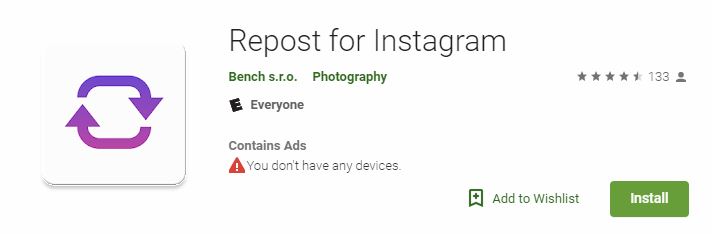
There are numerous reposting applications created specifically to help users share content. Apps like “Repost for Instagram,” “Regrann,” and “InstaRepost” let you directly repost photos and videos while retaining credits to the original poster. These apps typically work by copying the link of the post you wish to share. Afterward, you can paste the link into the app, which then allows you to repost the content on your own feed or stories with proper attribution.
2. Instagram’s Own Features
Instagram itself has introduced features that enable users to share others’ content in a more integrated way. For instance, using the “Share” feature for Instagram Stories allows you to share a post directly to your story without needing to take a screenshot. The original post will still be visible through a clickable link that takes viewers back to the original source. This not only encourages content sharing but also maintains the post’s context and credits the original creator.
3. Canva and Other Graphic Design Tools
If you want to add a personal touch to the content you wish to repost, graphic design tools such as Canva can be very useful. You can create a new design that incorporates the original post while crediting the creator visually. This method allows for a more artistic interpretation, and you can adjust the layout, colors, and text to match your brand aesthetics. While this may take a little more time than simply reposting, it can also add value and engagement to your post.
Best Practices for Reposting
While reposting can be simple, it’s essential to follow best practices to maintain a positive relationship with the content creators and the Instagram community at large:
1. Always Give Credit
Attributing the original creator should be your top priority. When using reposting tools or Instagram’s features, ensure that you tag the original user or mention them in your caption. This recognition not only acknowledges their work but can also entice their followers to check out your profile.
2. Seek Permission When Necessary
When reposting a particularly unique piece of content or if you are unsure whether sharing it would be appropriate, it’s best to reach out to the creator and ask for their permission. This small act can go a long way in building positive relationships within the Instagram community.
3. Be Mindful of Aesthetic
When reposting, assess how the content aligns with your brand’s aesthetics. It’s essential that the reposted content fits seamlessly within your existing feeds. This will enhance the overall appearance of your profile and maintain a consistent brand image.
Conclusion
Reposting content on Instagram does not have to be a cumbersome process or one that compromises quality and attribution. With various tools at your disposal and a focus on best practices, you can share meaningful content while upholding the integrity of the original creators. Remember, social media is about community, so the more you engage positively with others, the more rewarding your Instagram experience will be.
As you navigate the reposting process, keep in mind that appreciation and transparency in sharing content will enhance your reputation not just among your followers, but also within the broader Instagram community. So go ahead, start reposting, but do so with integrity and authenticity, and watch your social presence flourish.